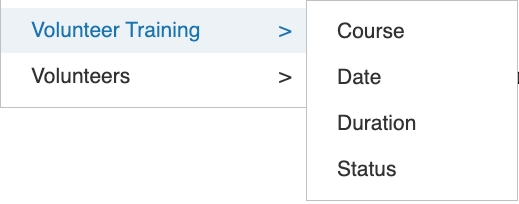
The following enables volunteer training courses to be efficiently tracked and managed from start to finish, ensuring a structured and organised approach to learning and development. It provides clear visibility over course schedules, participant enrolments, attendance, and completion status, allowing coordinators to monitor progress with ease.
To access and assign training courses to a volunteer, begin by locating the individual within the system using the Contacts section. Search for and open the relevant volunteer’s contact record to view their full profile.
Once inside the contact record, navigate to the Volunteer tab. Within this section, select the Access sub-tab, which provides additional management options specific to the volunteer’s role and permissions.
From there, click on the Training Courses option. This area allows you to view existing course enrollments, assign new training courses, and update the volunteer’s training status as needed. You can add courses, track progress, and ensure the volunteer meets all required training requirements.
Adding new Training Course
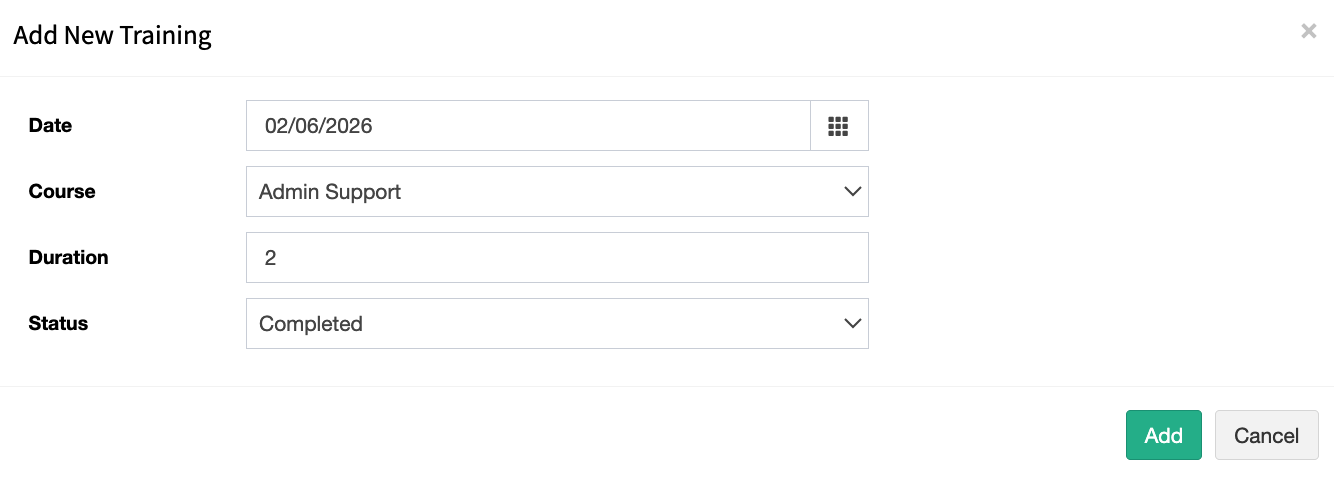
To add a new training course to a volunteer record, click Add New Training. This will open the screen shown below, where you can enter and update the relevant course information.
Adding new course types
To populate the dropdown list of available courses, this can be managed through User Defined Lists by updating the Volunteer Training Course Type list.
There is a related article available below that provides further guidance on maintaining this list.
Reporting
There are several reports available for volunteer training. The Volunteer Training Summary report can be accessed under Reporting in the System Reports section.
This report provides a comprehensive overview of all volunteers and their assigned training courses, including those that are currently in progress and those that have been completed.
Query Generator Conditions
Query Generator is a flexible reporting tool that allows users to create customized reports tailored to their specific data needs. Instead of relying on predefined reports, users can dynamically select from a wide range of available output fields, such as customer details, transaction data, dates, or status indicators. In addition, the tool enables the application of multiple condition filters to refine the dataset—for example, filtering by date range, category, region, or specific values.