Once the App is installed and connected to FundraiserOne Volunteers can enter their tasks and times.
Each volunteer will need to know their ID which is the Contact ID and they also require to be set up with a volunteer record.
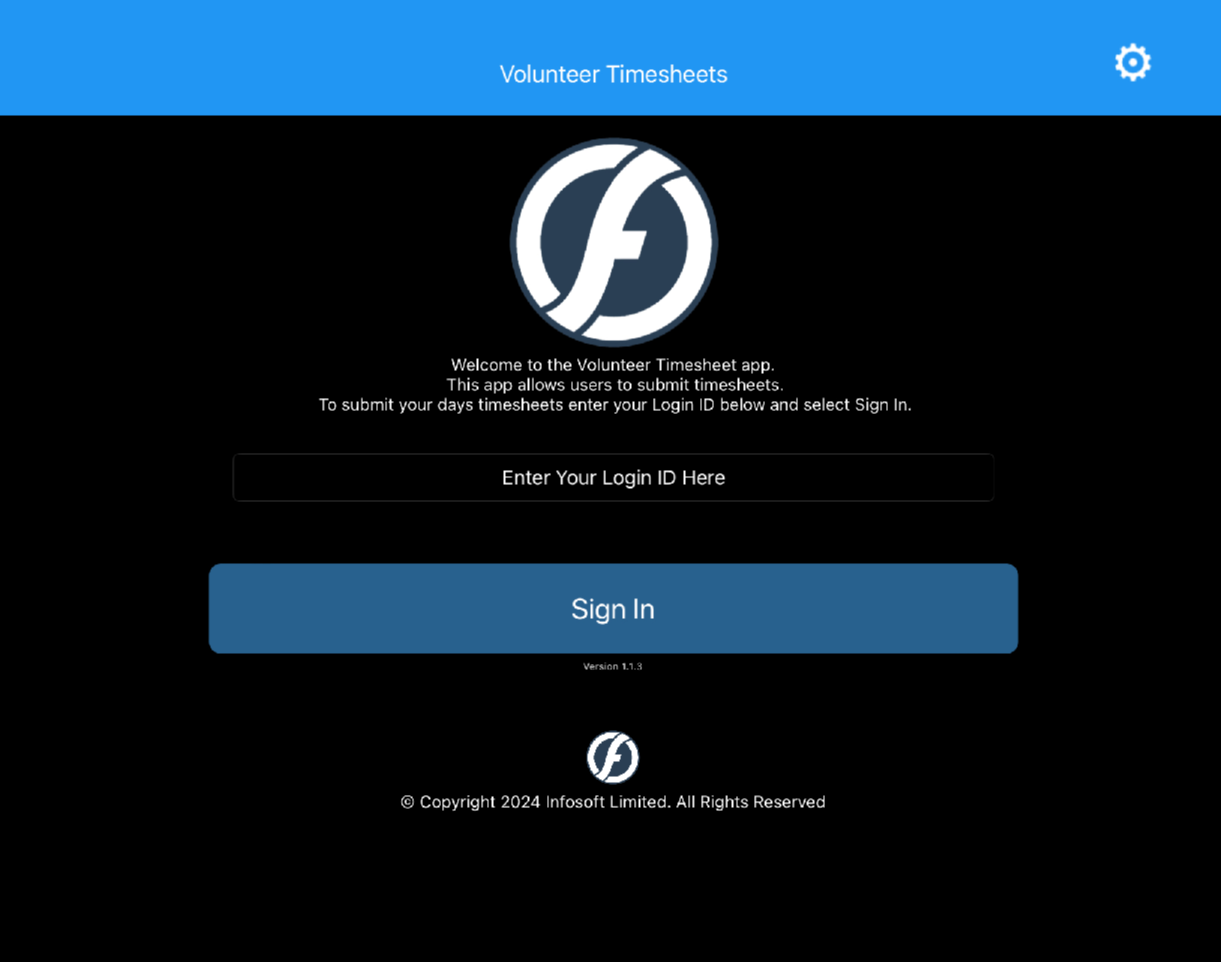
Step 1: Enter the Login ID into the text area labeled "Enter Your Login ID Here" and press Sign In.
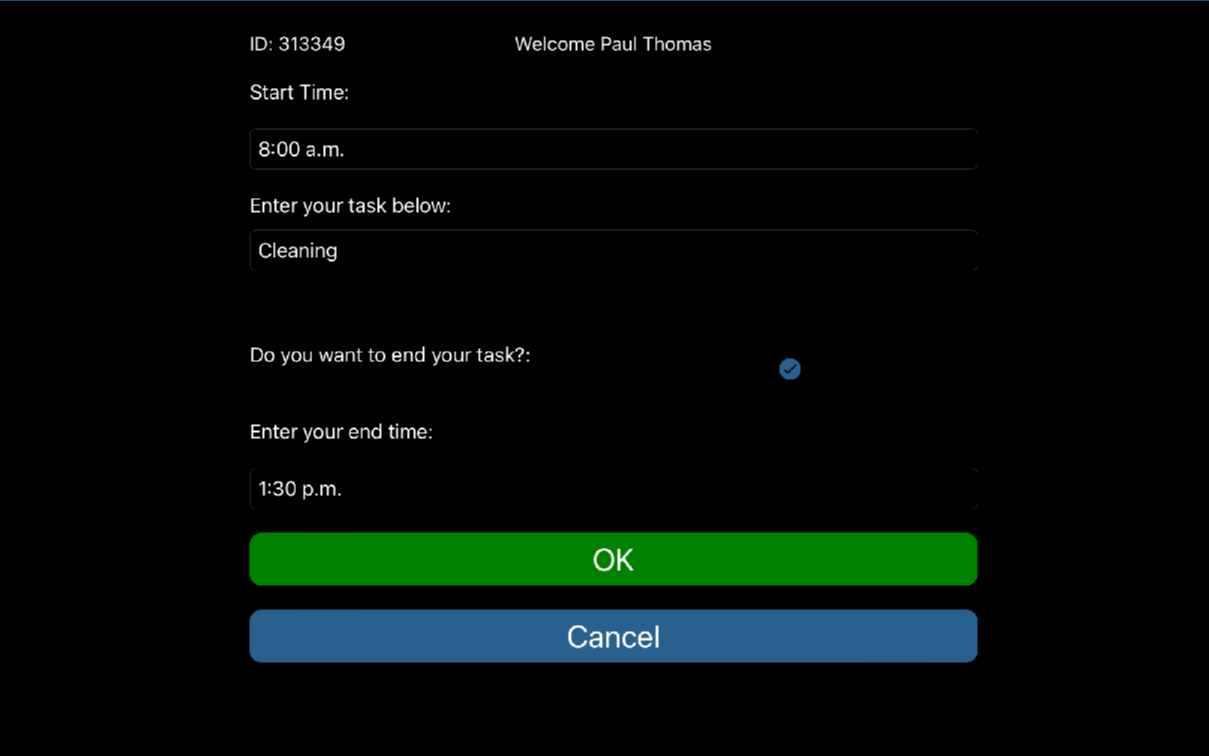
Step 2: In the screen below enter Start Time, Task and End Time and press OK.