

Summary
Setting up your volunteer framework begins with defining the Services your organisation provides and the Tasks volunteers will carry out within each service. Establishing these elements early creates a clear structure, helps volunteers understand their roles, and ensures your team can manage assignments efficiently.
A well‑designed setup typically includes:
Identifying core services — outlining the key areas where volunteers contribute.
Breaking services into tasks — defining the specific activities required within each service.
Customising dropdown lists — ensuring your system reflects the terminology and workflow unique to your organisation.
Assigning volunteers to tasks — matching people to roles based on skills, availability, and interest.
Taking the time to set this up properly ensures a smooth volunteer experience and makes ongoing management far easier.
Assigning a Volunteer with a Service & Task
Step 1: Select the Open the Contact and select the Volunteer Tab.
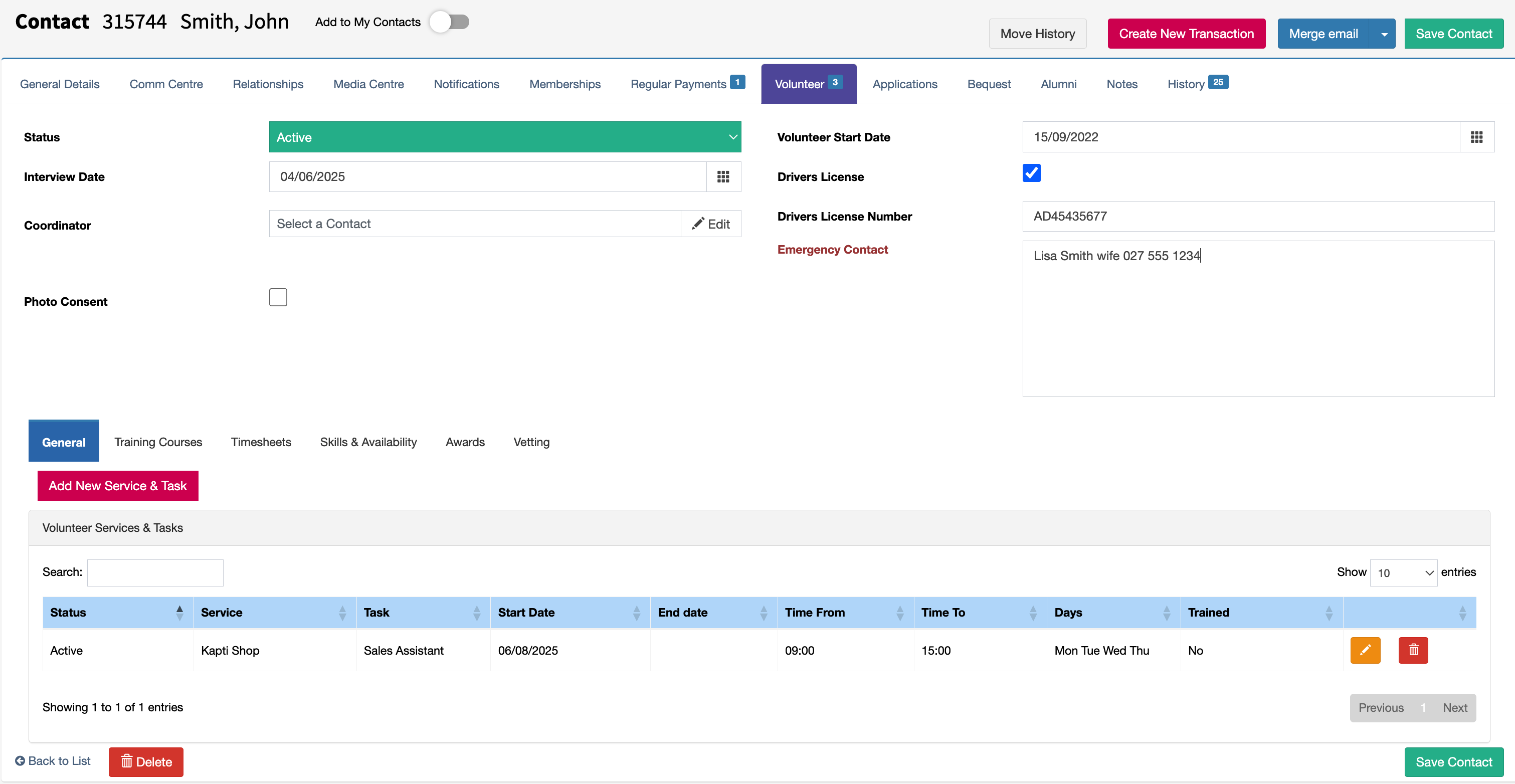
Step 2: To add a new service or task, select the Add New Service & Task button. Existing records can be updated or removed by using the edit icon (orange pencil) or the delete icon (red bin). The buttons are shown below.

Step 3: Updating Services and Tasks can be done from the screen shown below. You can add more than one task if a volunteer has different schedules on different days.
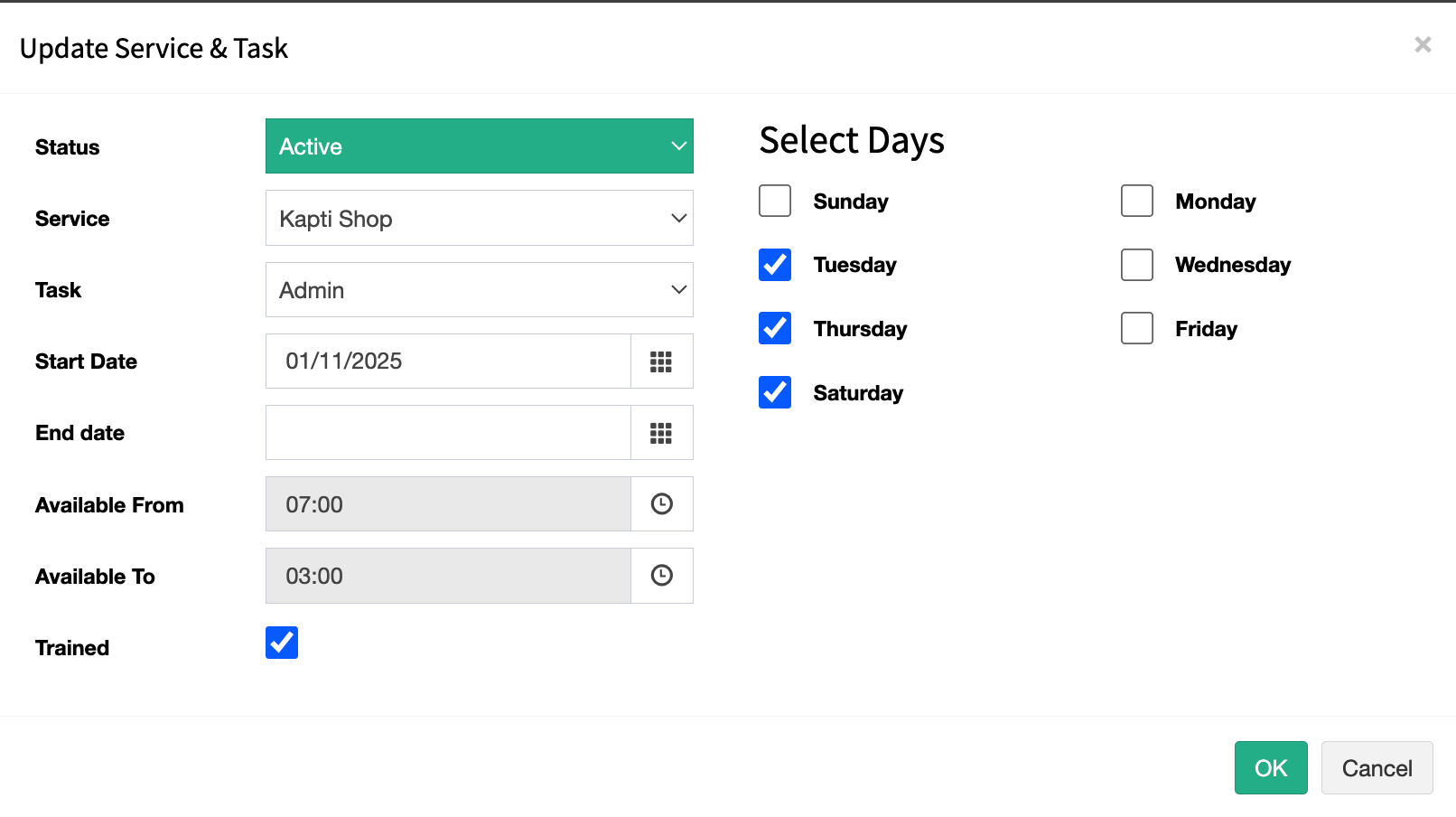
Status: Active or Archived. Archived is typically used when a volunteer is no longer assigned to a task, but you still want to keep a record that they previously assigned to it.
Service: The service the volunteer is assigned to.
Task: The specific task assigned.
Start Date: The date the volunteer began the task.
End Date: The date the volunteer finished the task (leave blank if ongoing).
Available From: The time the volunteer is available to start this task.
Available To: The time the volunteer is available until for this task.
Trained: Indicates whether the volunteer has been trained.
Selected Days: The days the volunteer is available for this task.