FundraiserOne uses the web browsers regional settings to display dates and dictionaries. This can be adjusted by simply updating the settings on your browser.
For this example the dates displayed in FundraiserOne are all MM/dd/yyyy format. The following shows how to change this to dd/MM/yyyy.
Note: The following example is using the Google Chrome web browser but other browsers like Microsoft Edge have identical setting screens.
Step 1: On your web browser's toolbar click on the three dot menu and select Settings as shown below.

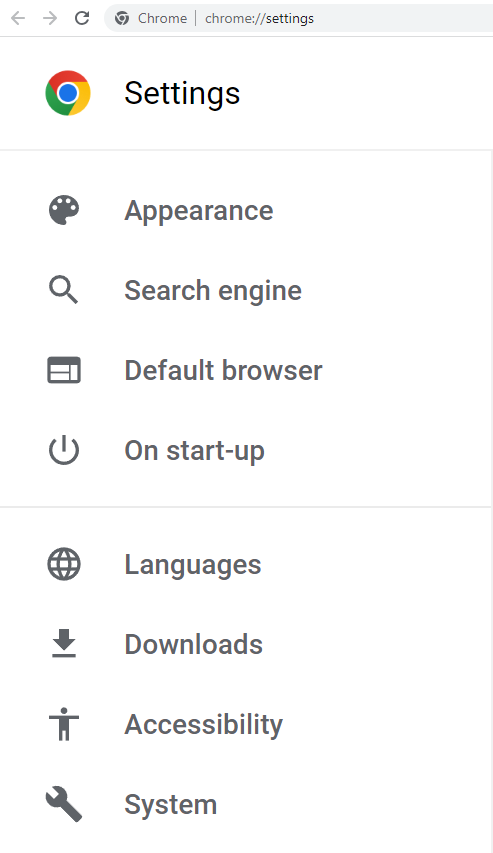
Step 2: From the Settings menu select Languages.
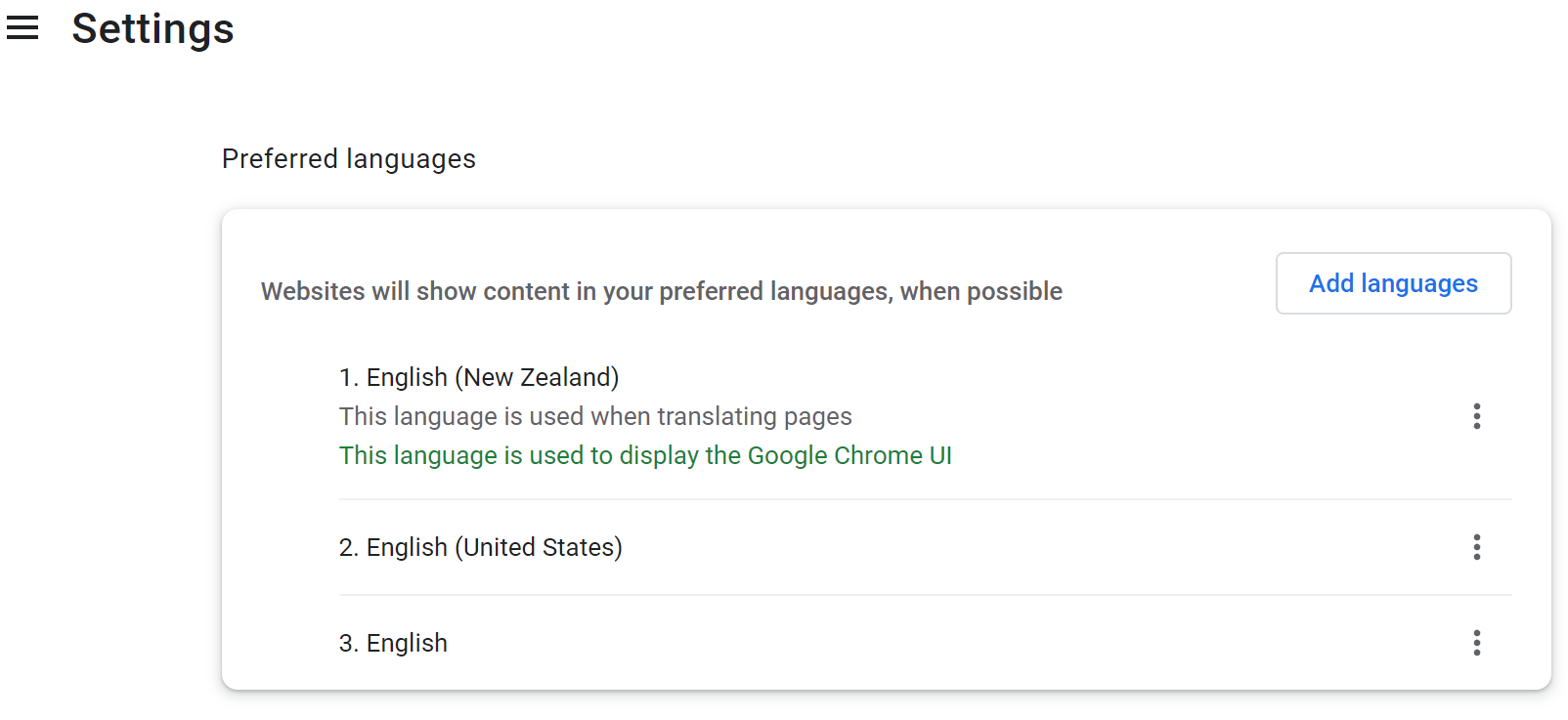
Step 3: The Preferred Language screen shows how the browser is set. By default it will be set to English (United States) and for this example we added English (New Zealand). By selecting Add Languages and searching for the desired language setting.
It is important to use the three dot menu and move the desired language setting to the top. Once this is done close the settings page and refresh your page in FundraiserOne. Now your dates and language settings will be set to your region.