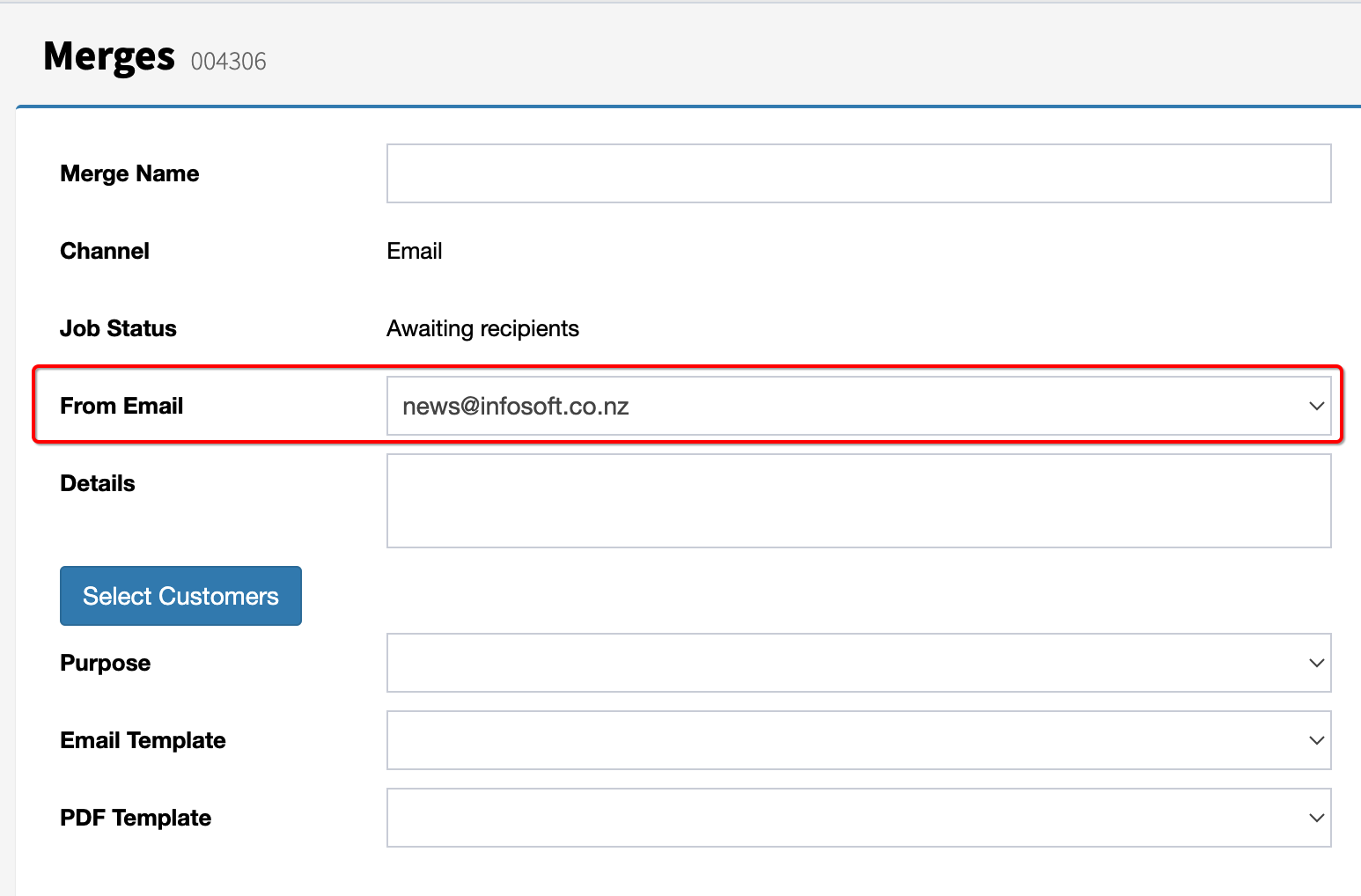
This feature enables users to send emails from multiple email addresses within FundraiserOne. Two options are available:
Default Email Address: Set a default email address for users, ensuring consistency in email communications.
Selectable Email Address: Allowing users to choose the email address they want to use for each email campaign, providing flexibility for targeted communications.
Setting Up Additional Email Address:
Step 1: Go to Settings and select General Settings.
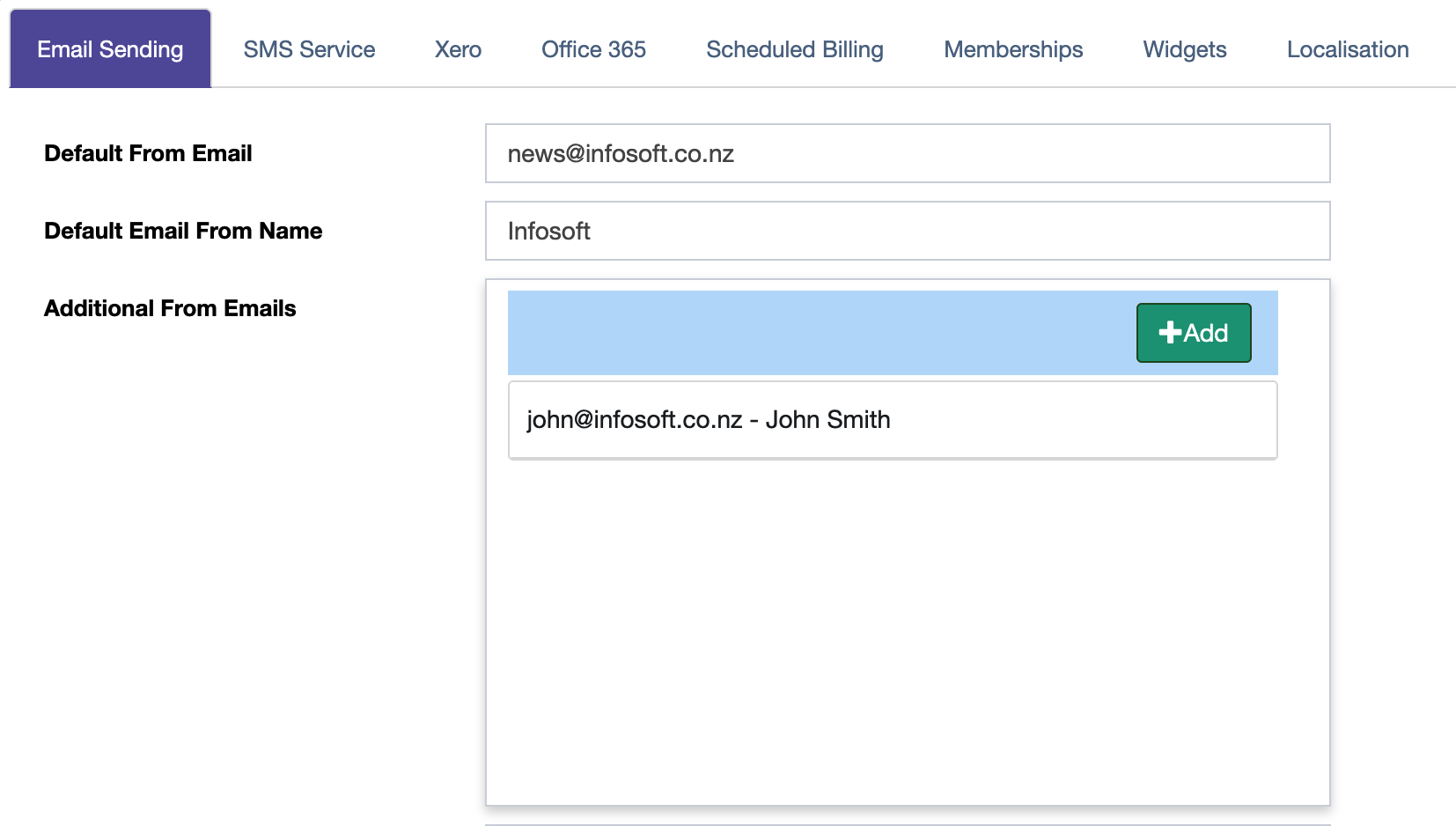
Step 2: In the Email Sending tab add your additional emails by using the Additional From Emails section. Add email addresses by selecting the green Add button. Once the emails have been added move to the next step.
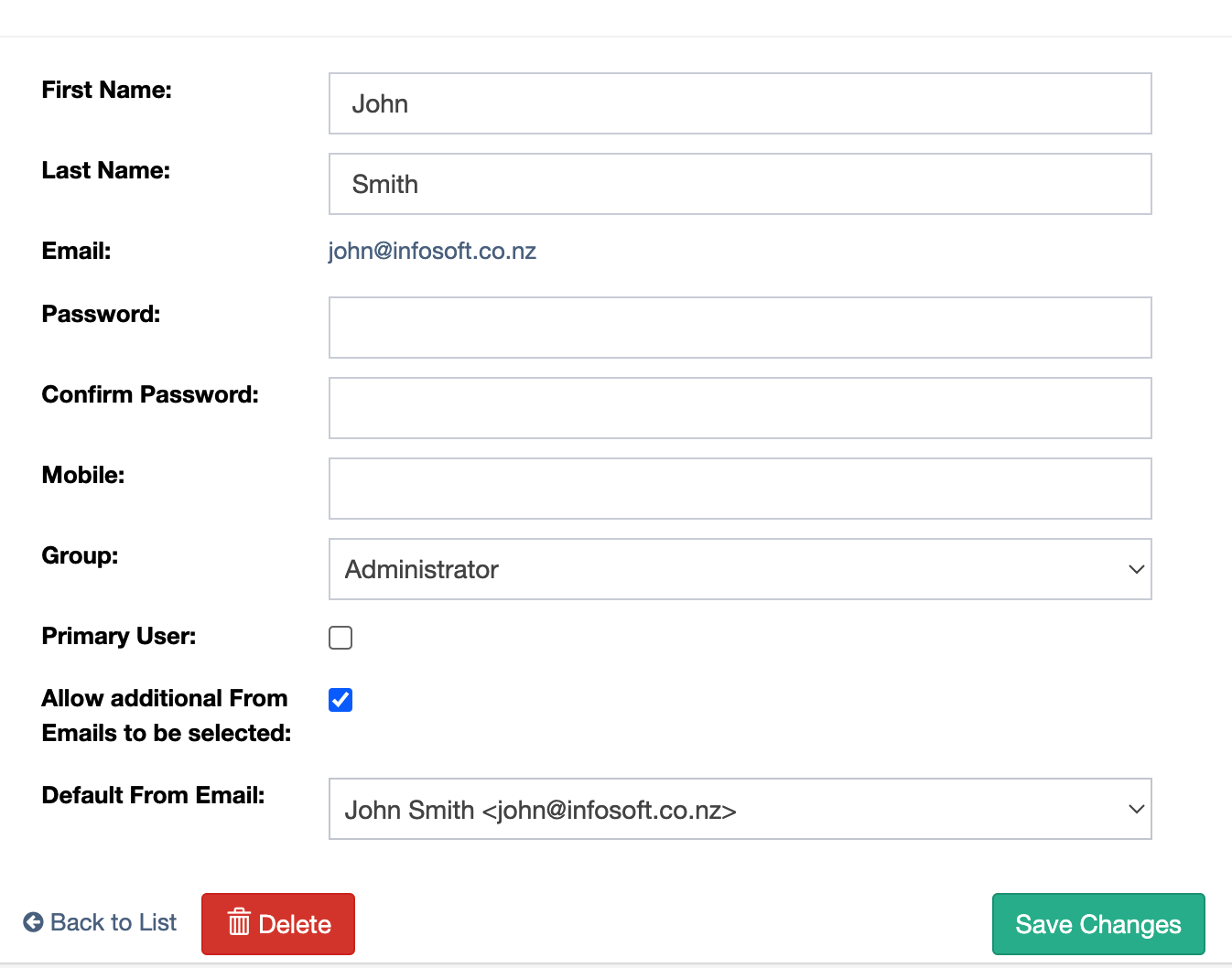
Step 3: Once the email address have been this next step allows them to be assigned to users. Go to Settings and Users from the side menu. The Default From can be set to the preferred email address and the checkbox "Allow additional From Emails to be selected" allows the user to select different emails when merging.
Step 4: Now when merging there is a From Email section box, this will default to the selected email and let the user select different email addresses if they have permissions.