

This import system uses a CSV file in a specific format. All fields must follow the required format exactly for the file to be accepted and successfully imported.
👉 Download a sample file here: here.
What the import can do
Create new records (e.g. contacts, transactions, regular payment records)
Update existing records (e.g. phone numbers, addresses)
Matching existing records
To reliably update existing records, use the Fundraiser ID which is used to identify the correct record without matching:
The Fundraiser ID allows the system to match records directly perfect for updating known records.
When Fundraiser ID is not used the system tries to match on other fields (like name or email) for matching
When updating records, it is important to include the Fundraiser ID
Flexible data import
The import only affects the fields included in your file. Files do not need to include every type of data e.g. You can import contacts without transactions if transaction data isn’t available and different types of records can be imported in different files as needed.
Limitation
There is currently a limit on how many records can be uploaded at once this is between 150-200 records per file.
Importing transactions
To import transactions, the following fields must be populated:
Amount
Frequency
Payment Method
Sign-Up Date (Transaction Date)
Product and Operation fields can optionally be included in the import file to allocate transactions individually. If these fields are left blank, all imported transactions will inherit the selections made on the import initiator screen.
Importing a file
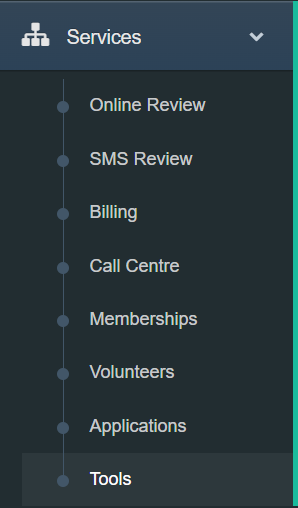
Step 1: Expand the Services menu and select Tools.
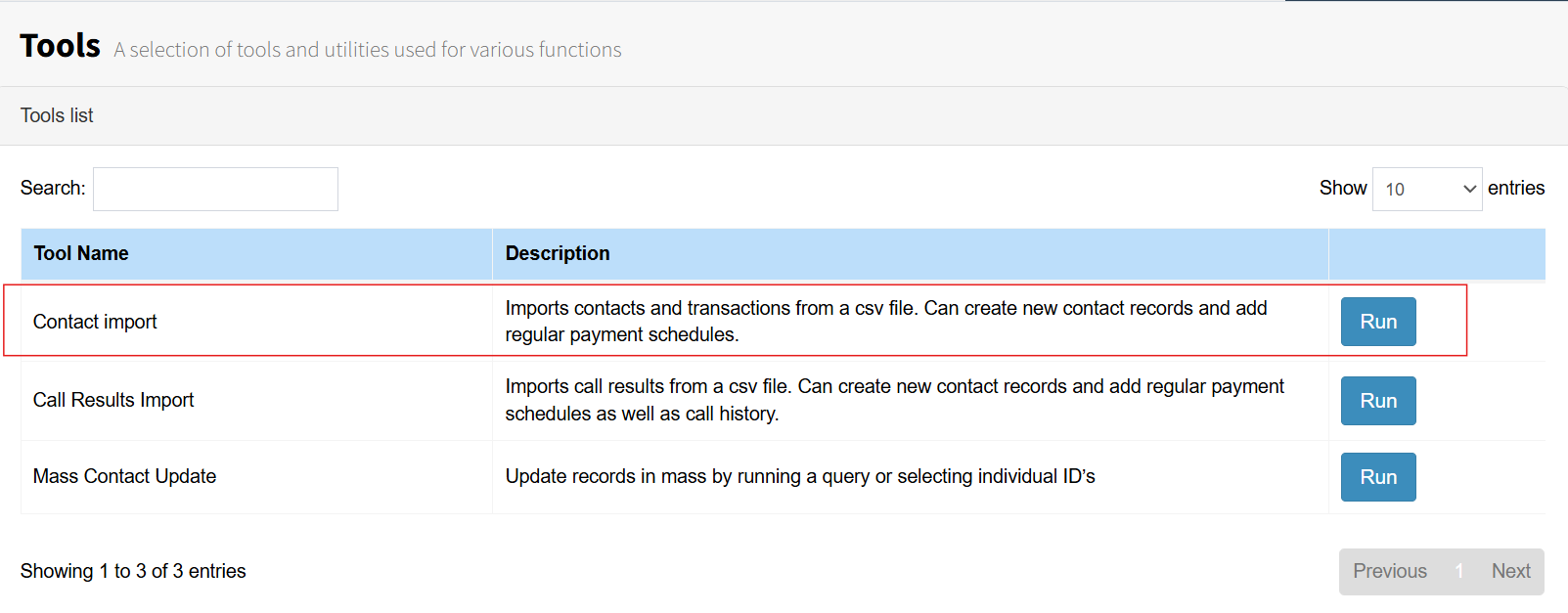
Step 2: Select Contact Import from the list and press the Run button.
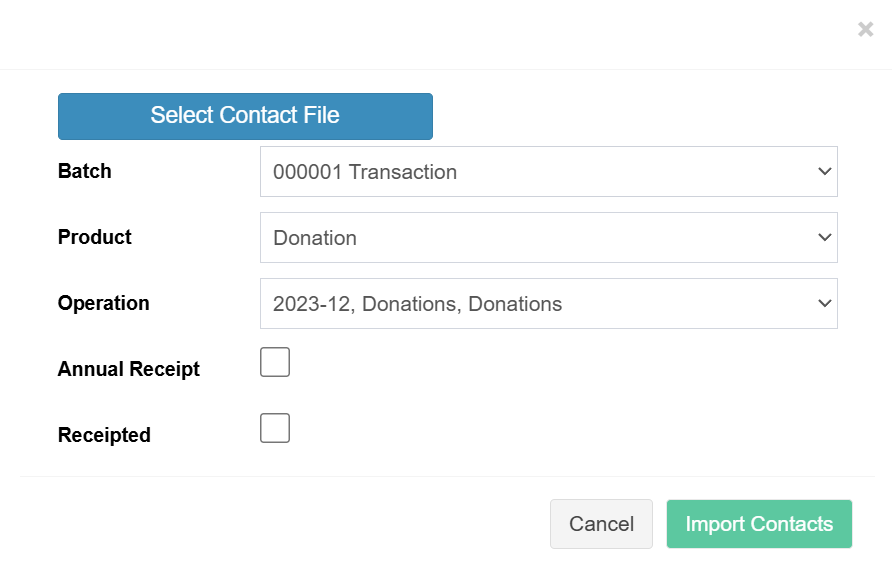
Step 3: The Import initiator screen will appear. Select the file to import by clicking the “Select Contact File” button. A Batch, Product, and Operation must be selected, even if your file does not contain transaction data.
If your file includes transaction data, the transactions will be placed in the selected Batch, and the chosen Product and Operation will be assigned to them otherwise it ignores them.
There are also options to mark the created transactions as Annual Receipts and/or mark them as Receipted.
File definition
The import file supports multiple types of data, including contact details, transactions, single gifts, and regular gift setup. It also allows tokens to be uploaded and stored in FundraiserOne for recurring payments.
Below is the file definition, which explains each attribute and the data it stores.
Fundraiser ID - This field is used to reference existing. | 123245 | Optional |
Title | Mr | Optional |
First Name | John | Optional |
Surname | Smith | Optional |
Date of Birth | 12/04/1987 | Optional |
Gender | Female | Optional |
Address | 12 Broadway | Optional |
Suburb |
| Optional |
City | Wellington | Optional |
Country | New Zealand | Optional |
Postcode | 6002 | Optional |
Home Phone | +64555 6567 | Optional |
Work Phone |
| Optional |
Mobile Phone | +64 215 5678 | Optional |
x@y.com | Optional | |
Amount - Specifies the amount of the gift. | 10 | Optional |
Frequency - Monthly, Weekly or One Off. | Monthly | Optional |
Payment Method - Cash, Credit Card, Direct Credit. | Credit Card | Optional |
Card Type - Visa, Mastercard, American Express. | Visa | Optional |
Card Token - Used to charge a card. Optional. | 232345 | Optional |
Plan ID |
| Optional |
Bank |
| Optional |
Account Name |
| Optional |
Account Number |
| Optional |
Start Date - Regular Payment start date format dd/mm/yyyy | 23/04/2022 | Optional |
Lead Source | ABC | Optional |
Sign-Up Date Transaction date format dd/mm/yyyy | 23/04/2022 | Optional |
Opt-in (Phone) | Yes | Optional |
Opt-in (Email) | Yes | Optional |
Opt-in (SMS) | Yes | Optional |
Opt-in (Post) | Yes | Optional |
Notes |
| Optional |
Card Name |
| Optional |
Card Number |
| Optional |
Card Expiry |
| Optional |
Region |
| Optional |
Organisation |
| Optional |
ContactType - If blank assigns to Individual others creates and assigns contact Types. | Board Member | Optional |
ContactGroup - Creates and assigns Contacts Groups to a contact when populated. | Golf | Optional |
Anonymous - Imports the record and assigns transaction to the anonymous contact record. | No | Optional |
Product - Allocates this Product to the transaction. If there is no transaction leave it blank. | Optional | |
Operation - Allocates this Operation to the transaction. If there is no transaction leave it blank. | Optional |