

The Contact Query List allows users to upload lists and use them to query contact records. Upload a CSV file to query contact records:
Step 1: Go to Contact Query List
Step 2: Click Upload List
Step 3: Select CSV file File
Requirements: - CSV file format - Only the first column is read - First column must contain rows of Contact ID's or Email. Column header can be called anything.
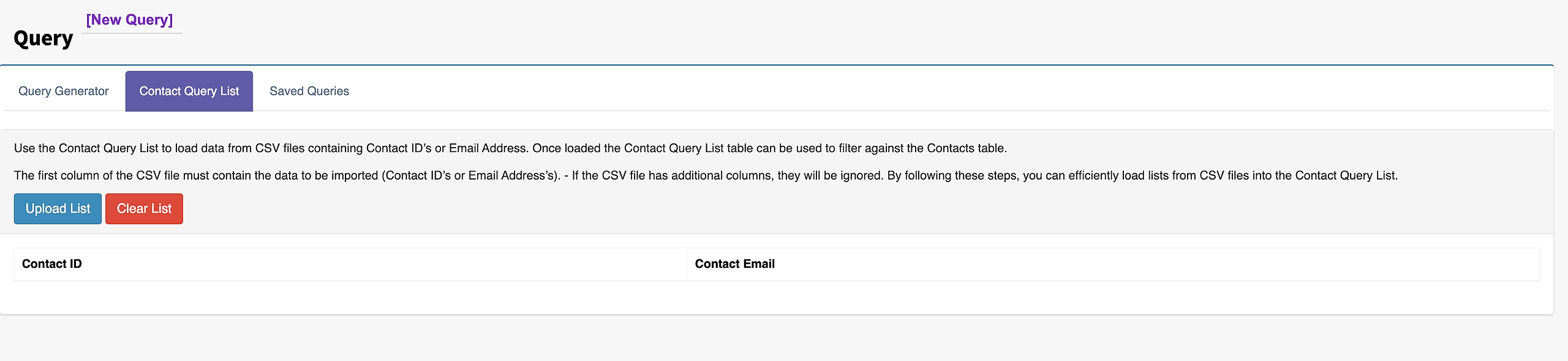
Once the ID's or Emails are loaded a Condition will need to be created.
Step 4: Select Contacts Contact ID in Column this lists all the entities.
Step 5: Select Contact Query List.
Step 6: Select List Contact ID or List Contact Email.
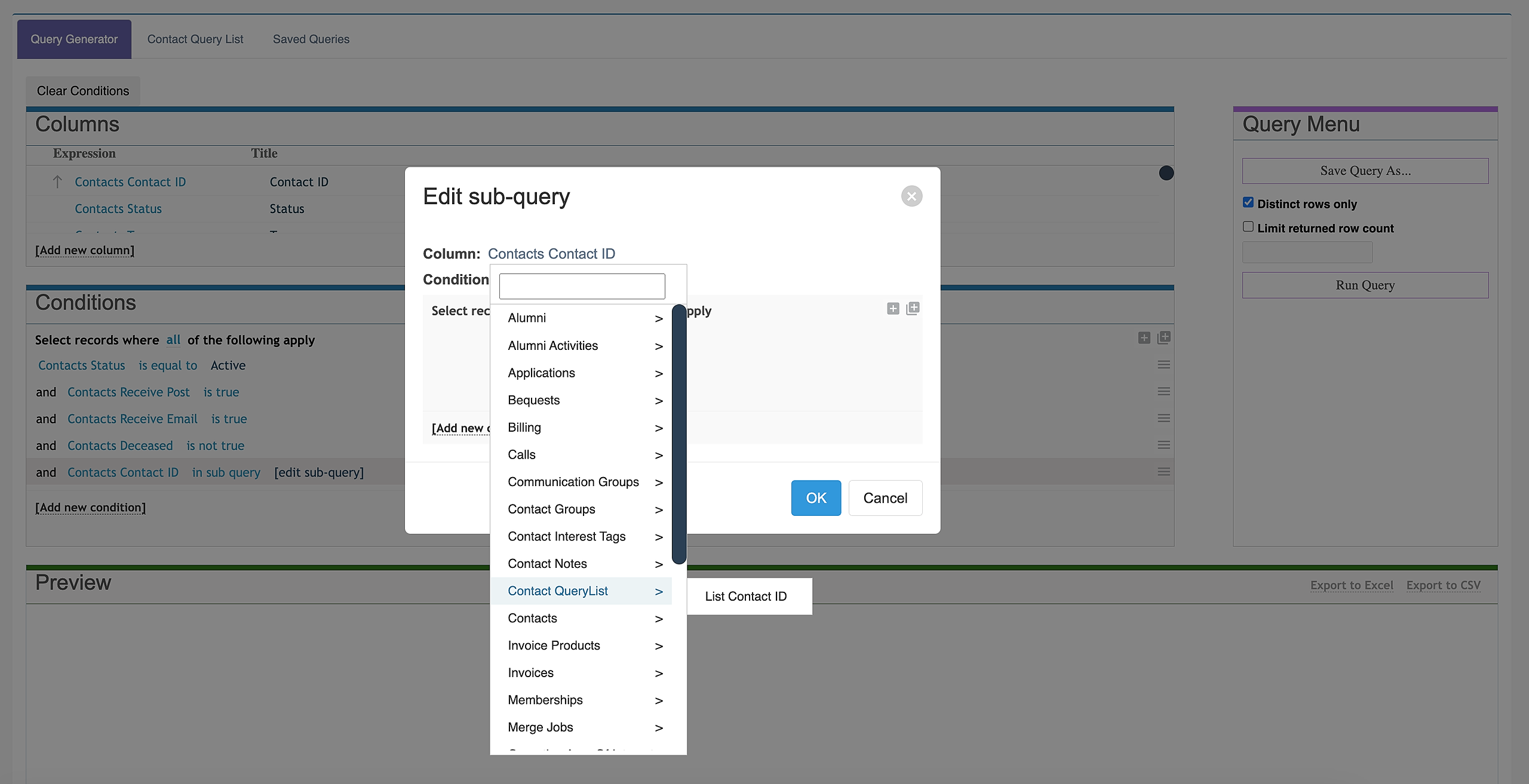
Step 7: The Query List is now linked. Other conditions can be added if required.
Note: Saving Queries will not save Query List data it only saves the columns and conditions selected.