

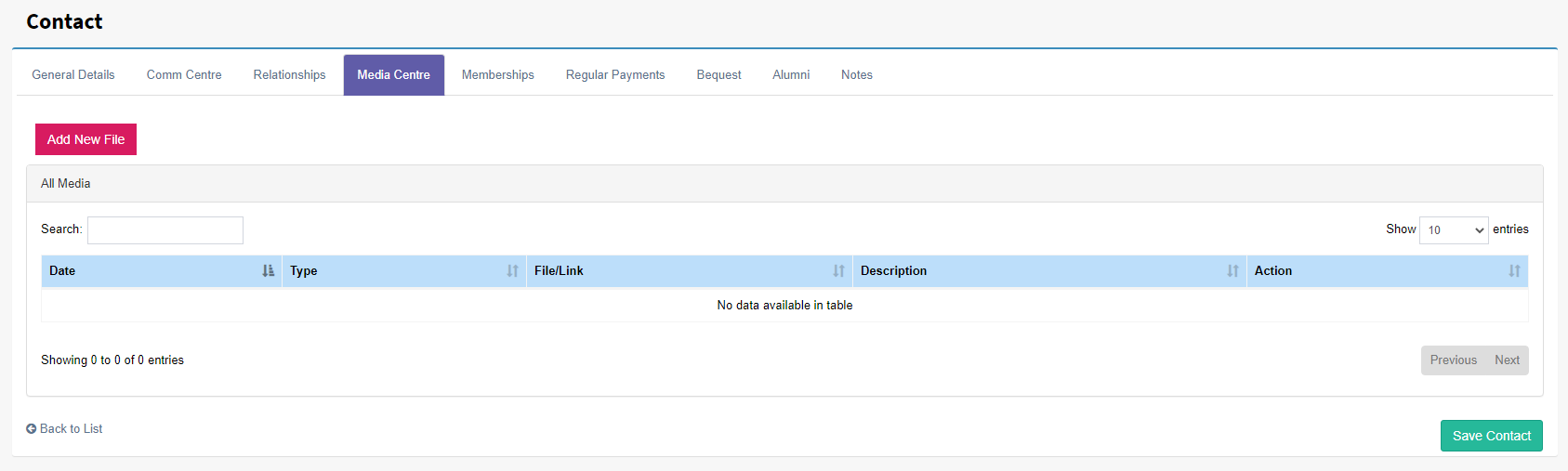
The Media Centre is a tab on the contact card where files and links can be stored.
Uploading and storing a new file
To add a new file simply select 'Add New File' button and the following screen will appear. Date is when the file was received or uploaded this can also be back dated. Type allows the selection between File and Link. When file is selected the Browse option will appear use this button to select the file. A note can also be added below.
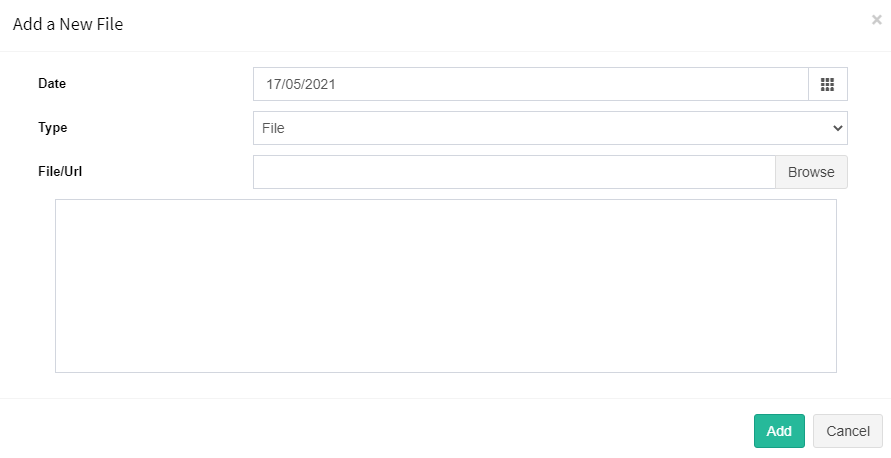
Once the file or URLis/link is selected press the Add to accept the changes this will close the screen and the filed and links will appear in the Media Centre tab. It is important to Save the contact once files or links have been added.
Viewing a stored file or link
Using the mouse and clicking on the File/Link will select the stored data. For files they will be downloaded and opened with the associated application on device. Links will open the a new browser tab.