

The following steps creates a signup
From the main dashboard screen, select on the left-hand menu ‘Widgets’. .Select ‘Add new Widget’. Enter Name, Type Signup, status Enabled and Save Widget.

Once saved the Widget settings page will appear as shown below.
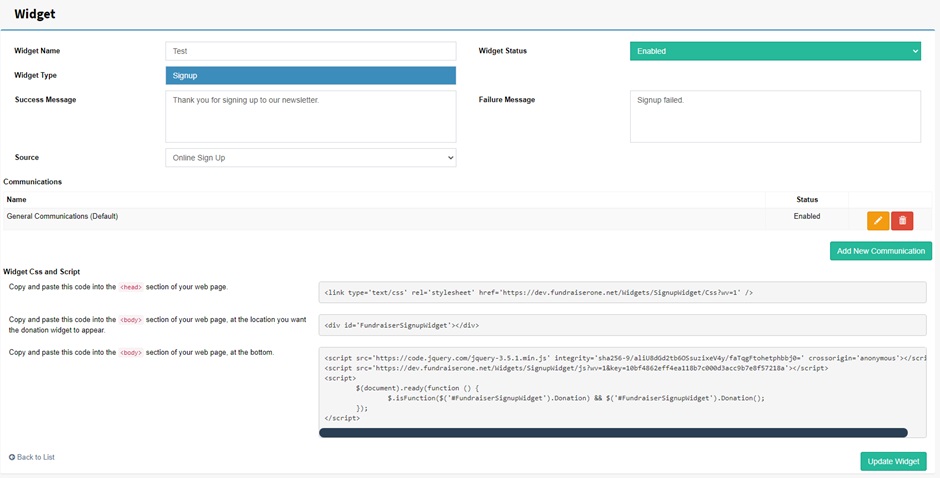
Widget Name: Name the widget this only for system use.
Success Message: Default message is ‘Thank you for signing up to our newsletter’ can be changed to anything.
Source: When a Contact is added through this widget what is their source added as in their contact card.
Widget Status: Disabling the widget will mean visitors will not be able to see or access the widget.
Failure Message: Default message is ‘Signup Failed’ can be changed to anything but this can be changed..
Communications: This section is very useful as it adds new signups to certain Communication Groups in the Communication Centre. Communication Groups can be applied by selecting Add New Communication.