

There are some situations where printing receipts is not an option for your organisation due to volume. This section will explain how those printed receipts can be exported to file so they can be sent to mail house.
Step 1: Firstly a Export Profile needs to be created, this is a one-off step which defines the fields that need to be exported. Once this is created every time receipts need to be exported the same export profile is selected during the export process which will output the same fields every time.
Step 2: Merge receipts as normal and prepare print this completes the merge and stores the receipt on the donors record for future reference. To export these receipts to file select the desired Export Profile and select the Prepare Export button this will start the export process.
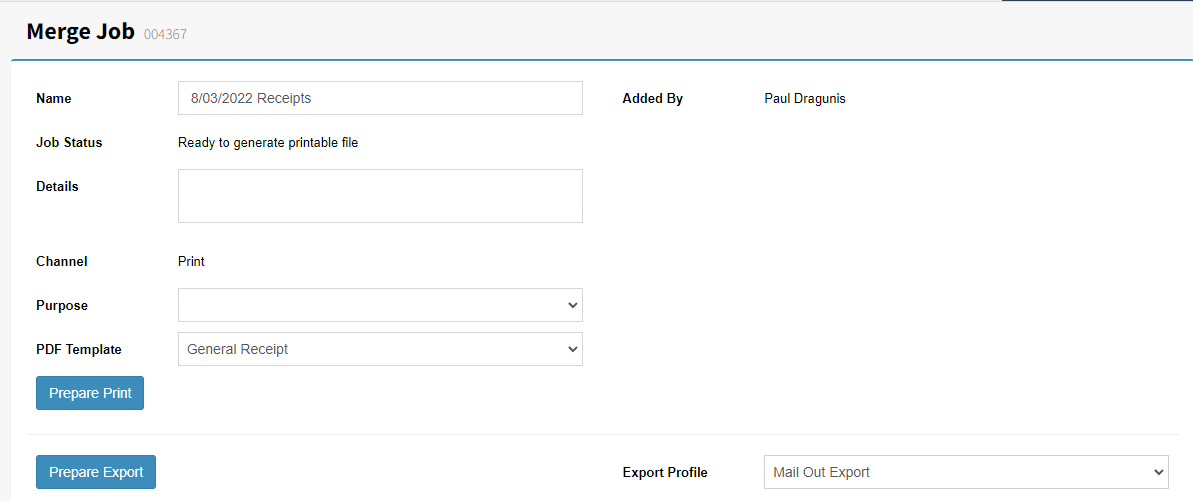
Step 3: Once the export process is finished look at the status to see progress. The Prepare Export button is replaced with an Export button. Select the Export button to download the receipt file.
Note: The export file is a CSV file (Comma separated values) file.