

This sections shows how to record and store an application. All applications are stored on a contact card so its important to find the contact or create a new contact for the person or organisation that submitted the application.
Step 1: Go to contacts find or create a contact.
Step 2: Select the Grants tab and select Create New Grant button.
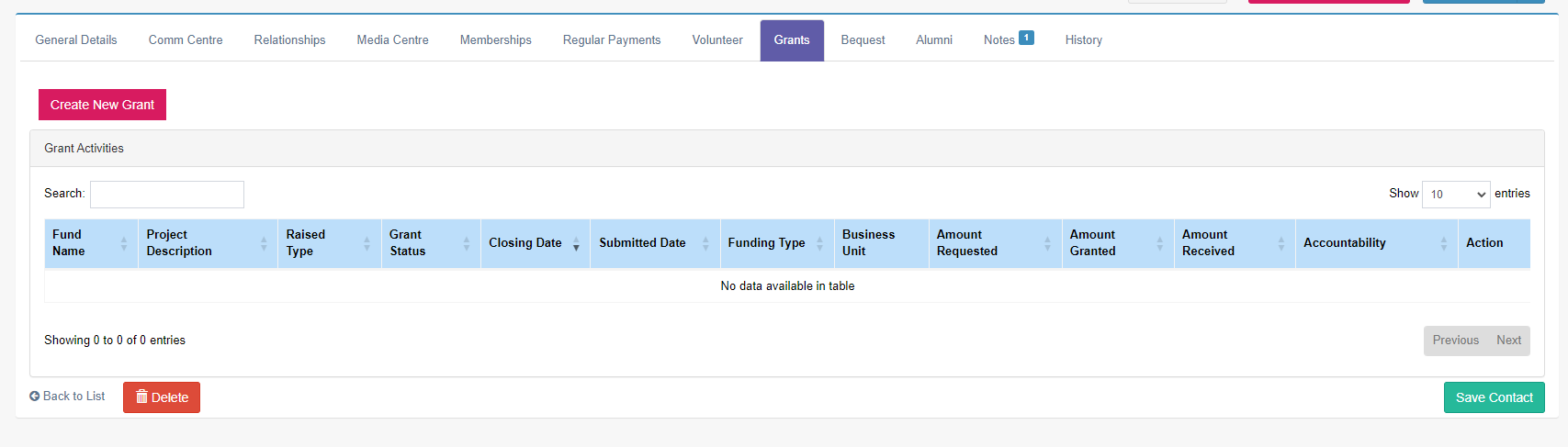
Below is the where the application information is added.
Step 3: Select Fund Application as the application type.
Step 4: Select the Fund this is the pool of money that the application will be allocated from.
Note: Fund can hold capital amounts and disbursable amounts set for paying out applications.
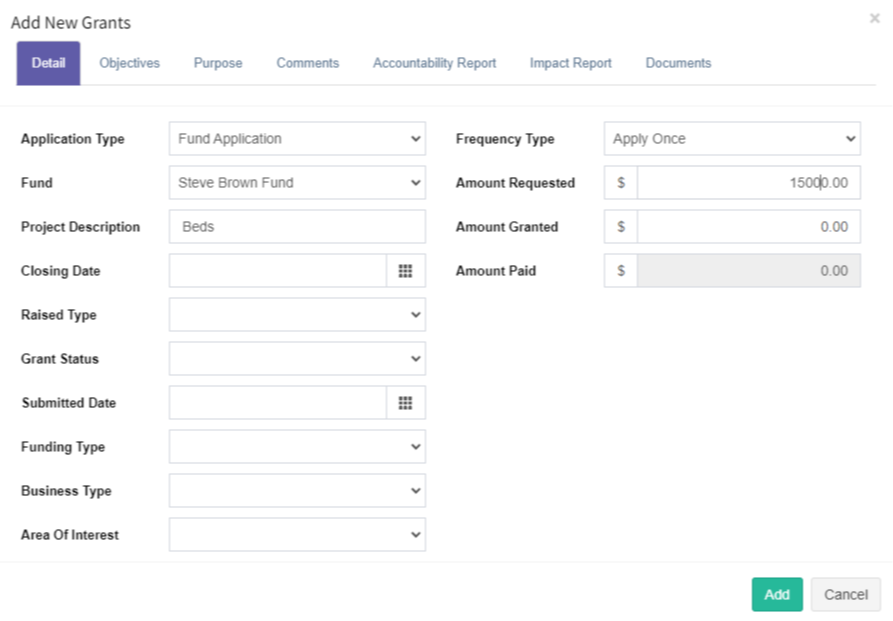
Step 5: Project description is what the money is going to be used for.
Step 6: Set the closing date this is usually the closing for the organisation's application round.
Step 7: Grant Status is the progression of the application from Pending to Accepted or Declined.