

Banking's store the banked batches they can be viewed by selecting Bankings from the side menu . One or more batches can be banked that makes a banking. From there Bankings can be sent to Xero or exported to other accounting packages.
To bank a batch or batches select Batches from the Financial menu and select the batches to be banked. From here select the Bank Selected button this will be visible and by selecting this, it will bank the selected batches.
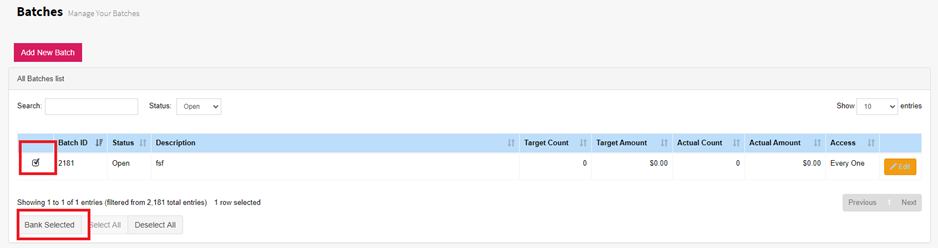
The batch has now been banked.

To delete a banking, simply go to Batches using the side menu, find the batch using the search and select the Edit button to edit the batch. Select the Reopen Batch button. This will reopen the batch and delete the banking.